External ID Guard
Catch duplicate invoice numbers, ticket ids and contract references before they cause double work.
Jira Cloud · Version 2.3.0 · on the Atlassian Marketplace
Free of charge. Installation and licensing run through Atlassian.
What it does
Many Jira issues carry a reference from another system: an invoice number, a ticket id from an ERP, a contract reference. When the same value lands on two issues, two people work the same case, and nobody notices until the work has been done twice. External ID Guard watches exactly one single-line text field per project and makes collisions within the fetched issues visible:
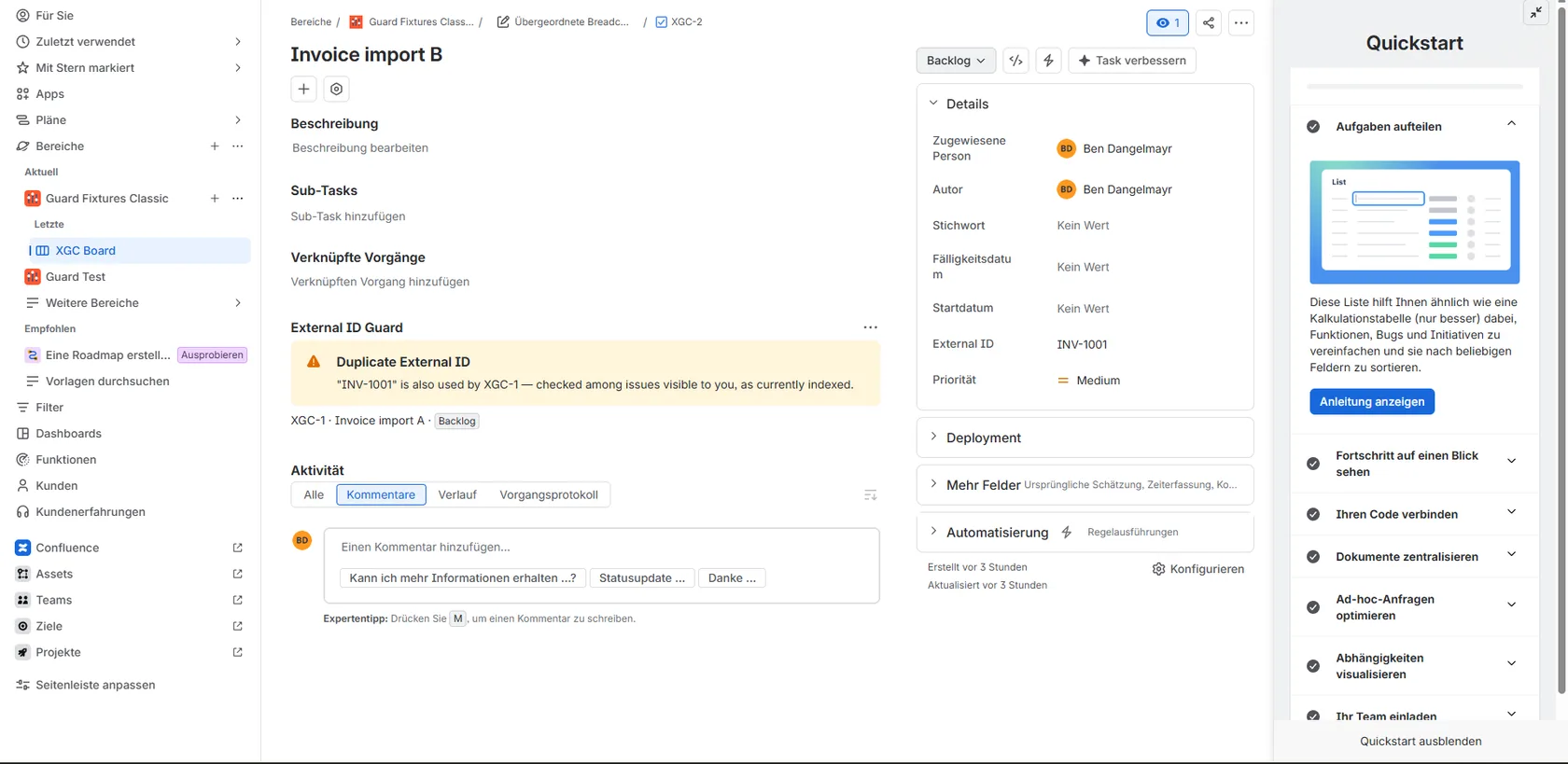
- Live verdict on the issue: the issue panel shows instantly whether the value is unique or which other issues use it too.
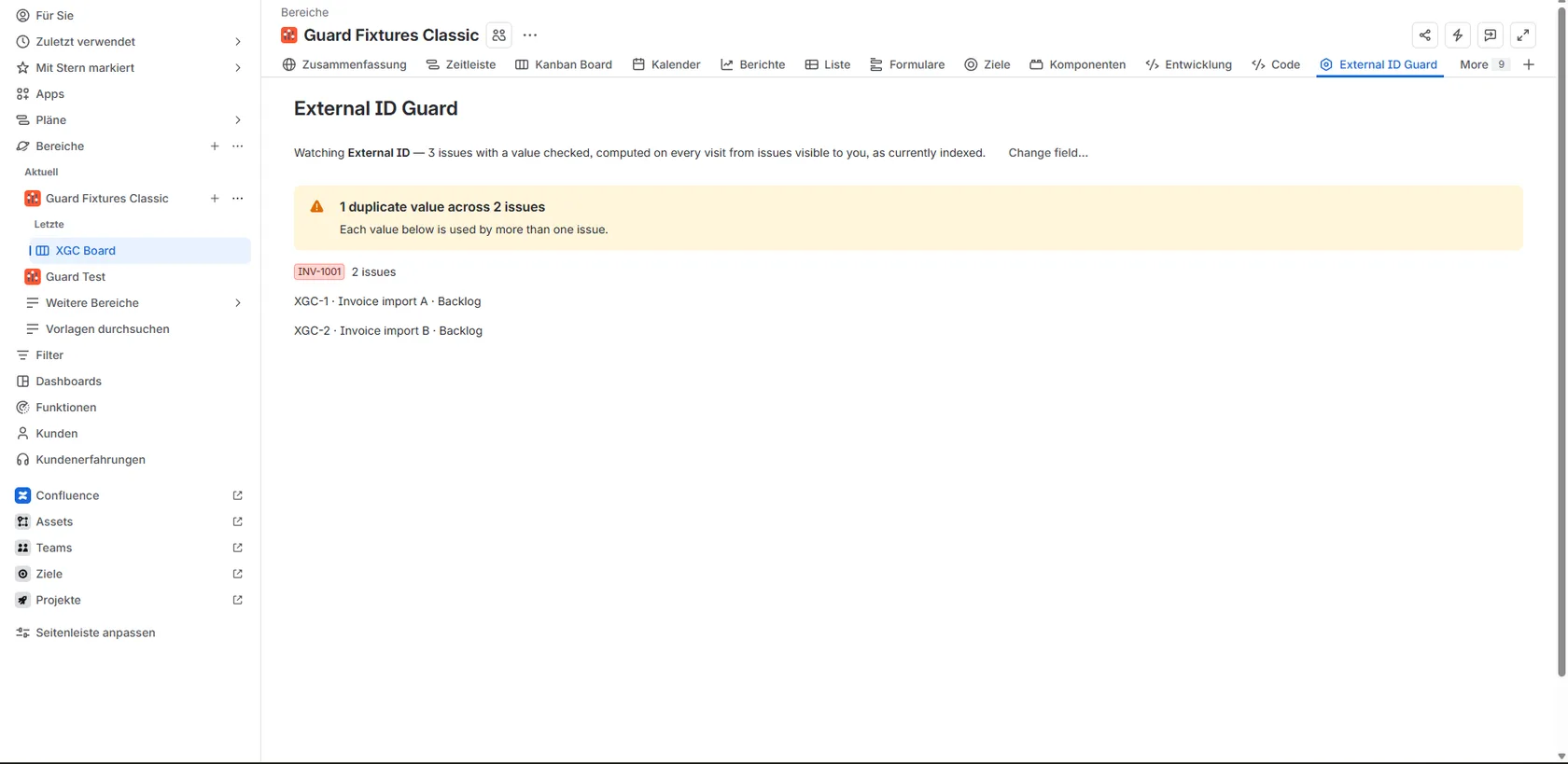
- Project-wide collision report: the project page lists every value used by more than one issue within the fetched issues (up to 300, with your read permissions), at a glance instead of by manual search.
- Exact matching: values are compared character for character: no fuzzy search surprises.
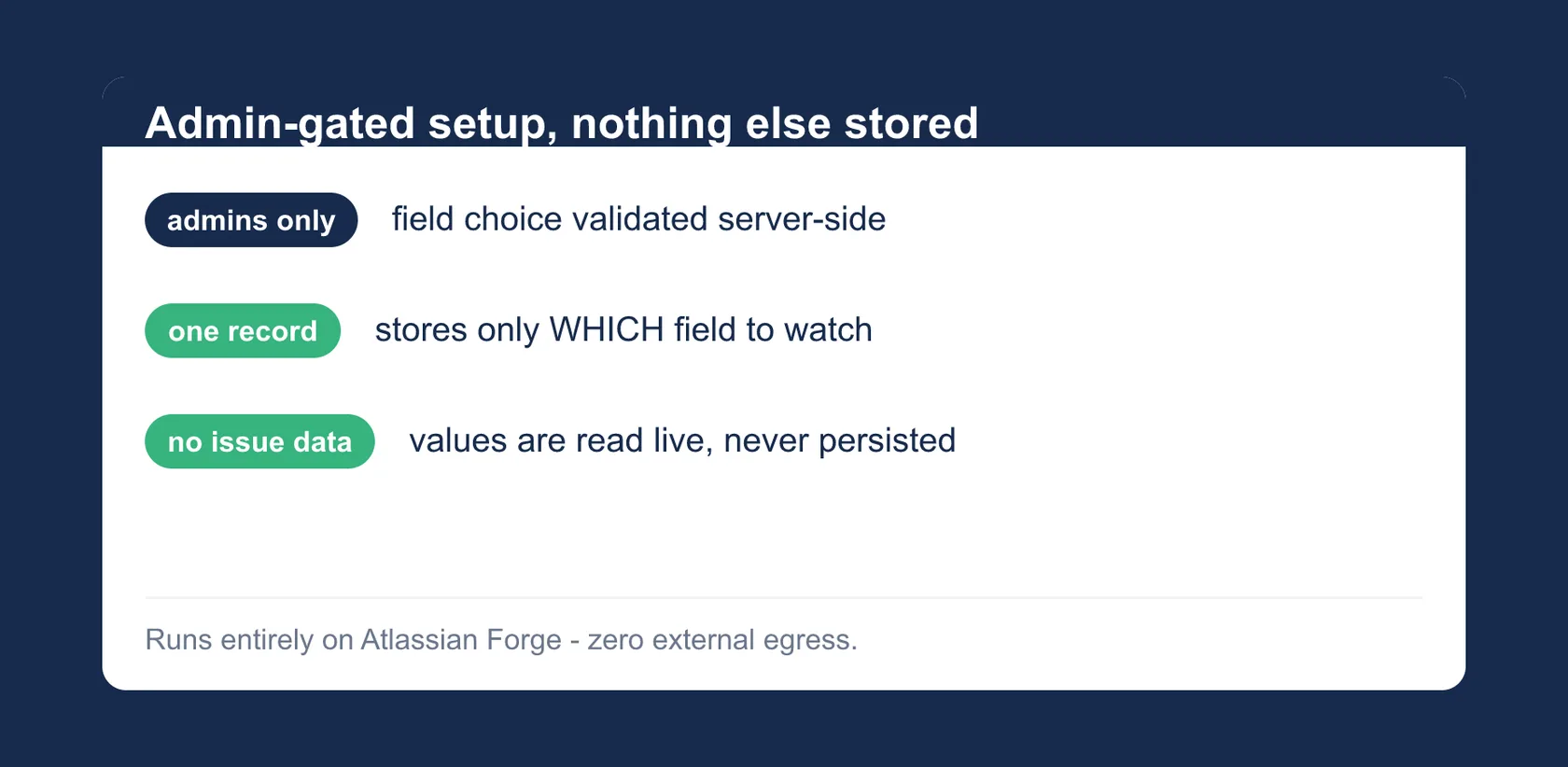
- Admin-only field choice: project admins decide which field is watched; the choice is validated server-side.
- Stores only the field choice: never issue data, never field values.
Getting started
- Install the app for your Jira Cloud site from the Atlassian Marketplace listing.
- Open the project page and, as a project admin, pick the single-line text field to watch.
- Done: the panel shows a live verdict on every issue, the project page the collision report across the fetched issues (up to 300) you are allowed to see.
Permissions and data
External ID Guard runs entirely on Atlassian Forge:
read:jira-work: read-only calls, executed with your own permissions (asUser) and scoped to one project: one bounded JQL search (max 3 pages of 100) for issues with a value in the watched field (fetching only summary, status and that one field), plus the current issue for the panel, the list of single-line text fields for the field picker, and the admin permission check. Duplicate detection itself is exact string matching inside the app.storage:app: stores exactly one configuration record per project: the id of the watched custom field. No issue data, no field values, no account ids.
No write access to Jira, no background jobs: every result is recomputed live per visit, from the issues visible to you. No external servers, no data egress: your data never leaves Atlassian infrastructure. The app stores no personal data. No AI, no tracking, no third-party services.
Support
Direct line to the developer: no ticket system, no first-level filter.
- Email: support@dangelstudio.de
- Contact form: reply usually within 1–2 business days
Support is provided on a best-effort basis. No fixed response or resolution times (SLA) are promised.
Status and versions
- Available on the Atlassian Marketplace. The current version number is in the header line of this page.
- Watches one single-line text field per project; verdict and report are computed live on each visit, from the issues visible to you, as currently indexed.
Legal
License: the end-user license agreement (standard EULA) shown on the Atlassian Marketplace listing applies; Atlassian presents it during installation. Privacy: Atlassian apps privacy policy, with a dedicated section on External ID Guard; the short version is in “Permissions and data” above. The app is not intended for covert employee monitoring or automated performance evaluation; see the privacy policy for details.