Requirement Drift Guard
Catch requirement changes after work has started.
Jira Cloud · Version 2.6.0 · on the Atlassian Marketplace
Free of charge. Installation and licensing run through Atlassian.
What it does
Requirements keep changing after development has started: a reworded description, a bumped priority, new acceptance criteria. Jira records all of it in the history, but nobody reads the history. Requirement Drift Guard makes those changes impossible to miss, right on the issue:
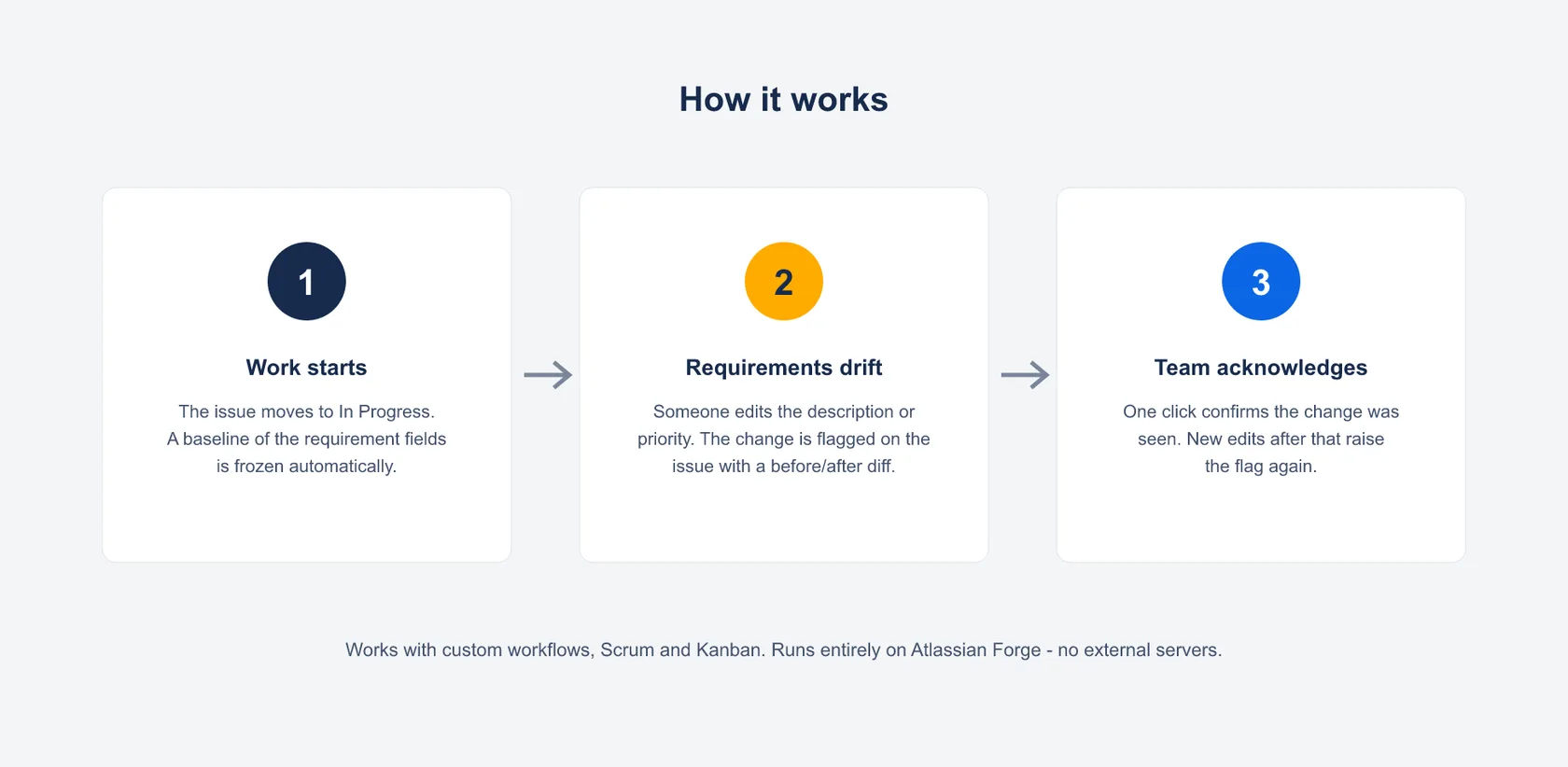
- Baseline on start: the moment an issue first moves into an In-Progress status category, the app freezes a baseline of its requirement fields automatically, with no manual snapshots.
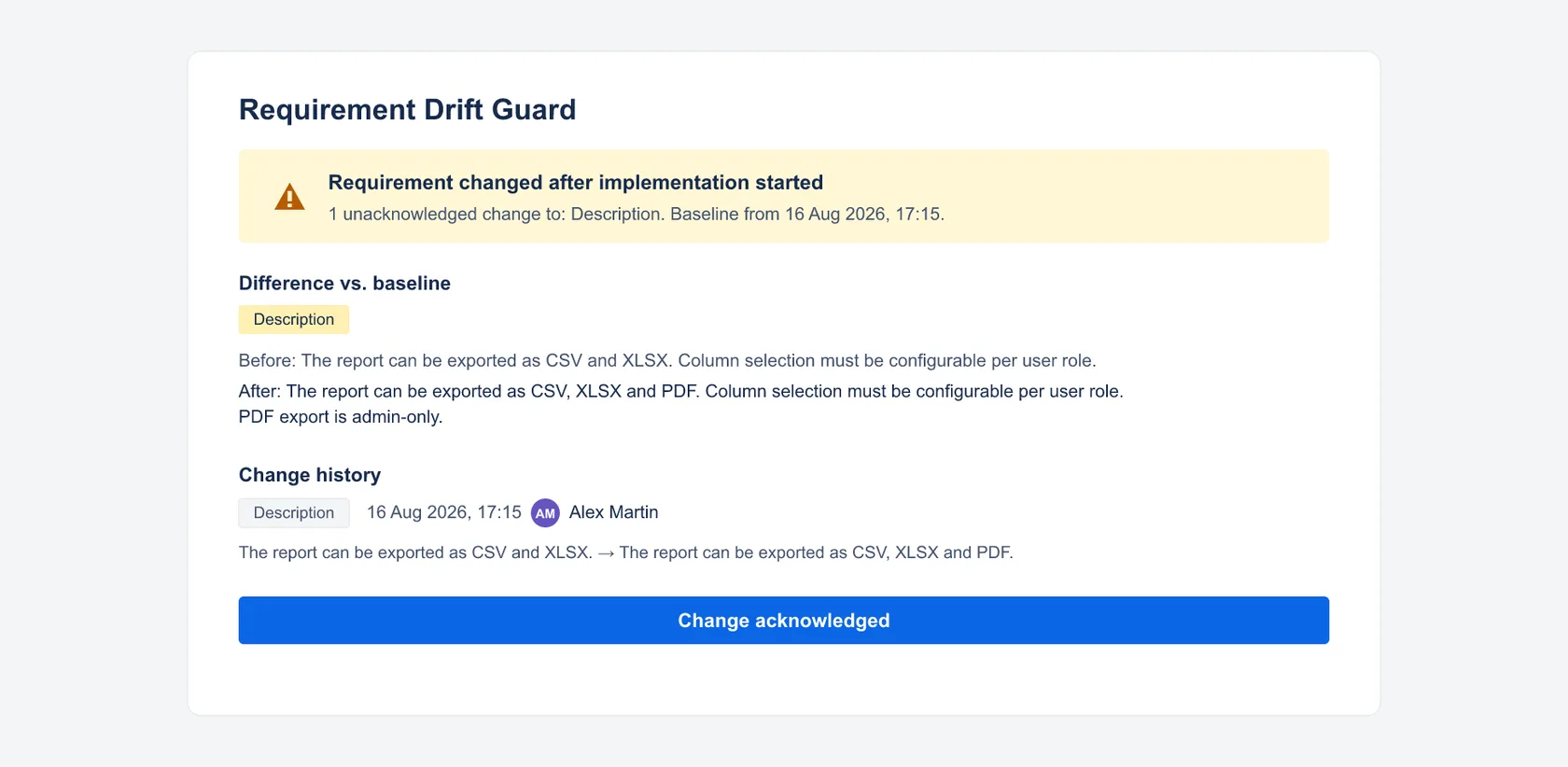
- Drift flag: every later change to a watched field raises a clear warning on the issue: Requirement changed after implementation started.
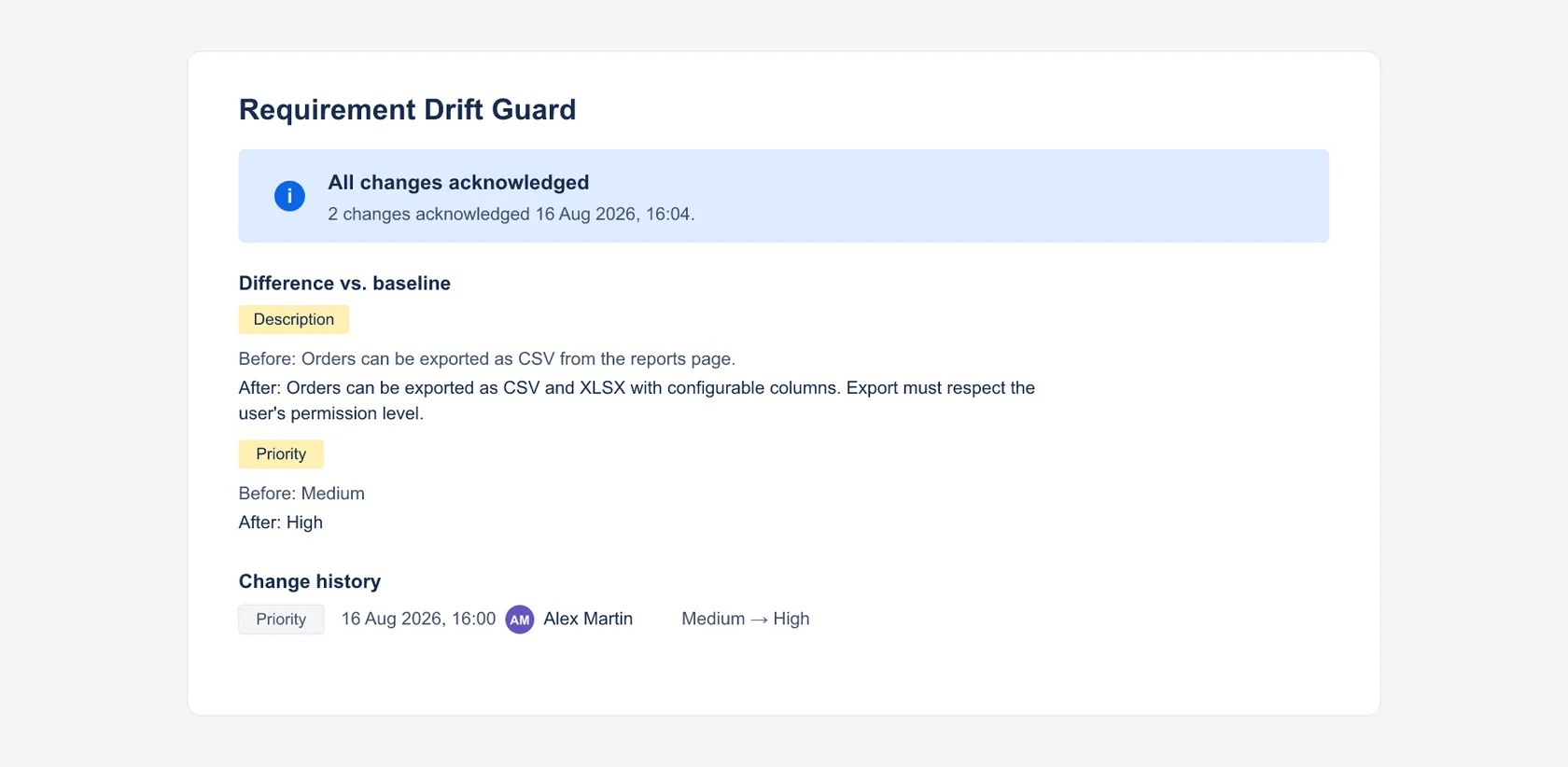
- Before → After: every watched field is compared against the baseline, with the full change history: who changed what, and when.
- One-click acknowledgement: the team confirms it has seen the changes. Any new change raises the flag again. A→B→A edits collapse to “no net change” while the full history stays visible.
Watched fields today: Summary, Description, Priority. Per-project field configuration is on the roadmap. Tell me what you need.
Getting started
- Install the app for your Jira Cloud site from the Atlassian Marketplace listing.
- Move any issue to In Progress: the baseline is captured automatically.
- Change a watched field afterwards: the drift panel appears on the issue (⚙ icon below the title).
The trigger is the first transition into Jira’s In-Progress status category, not a specific status name, so it works with custom workflows, Scrum and Kanban alike.
Permissions and data
The app runs entirely on Atlassian Forge and is built for a minimal footprint:
storage:app: persists baselines, change records and acknowledgements per issueread:jira-work: reads current field values to compute the baseline diff
No write scope, no external servers, no data egress: your data never leaves your Jira site. Change records include the Atlassian account ID of the user who made a change, as recorded by Jira itself; uninstalling the app removes its stored data in accordance with Atlassian’s Forge data lifecycle. No AI, no tracking, no third-party services.
Support
Direct line to the developer: no ticket system, no first-level filter.
- Email: support@dangelstudio.de
- Contact form: reply usually within 1–2 business days
Support is provided on a best-effort basis. No fixed response or resolution times (SLA) are promised.
Status and versions
- Available on the Atlassian Marketplace. The current version number is in the header line of this page.
- Roadmap: per-project configuration of watched fields.
Legal
License: the end-user license agreement (standard EULA) shown on the Atlassian Marketplace listing applies; Atlassian presents it during installation. Privacy: Atlassian apps privacy policy, with a dedicated section on Requirement Drift Guard; the short version is in “Permissions and data” above. The app is not intended for covert employee monitoring or automated performance evaluation; see the privacy policy for details.